What is the learn button on a garage door opener?
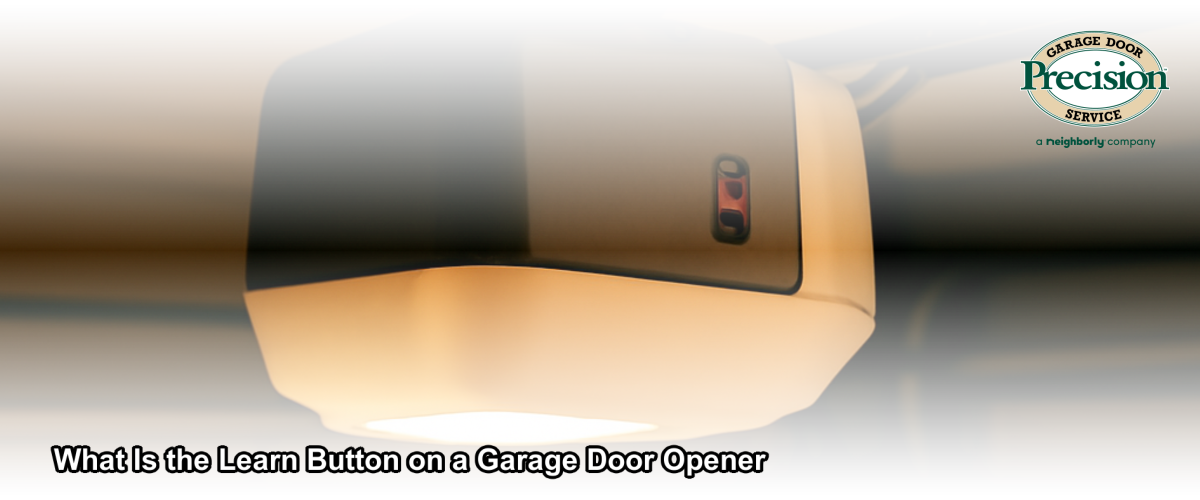
The learn button on a garage door opener is a small, colored button — usually located on the back or side of the motor unit — that puts the opener into programming mode so it can recognize and sync with remotes, wireless keypads, and smart home devices. Without using the learn button, a new remote or keypad cannot communicate with your opener.
When you press the learn button, the opener enters a short pairing window — typically 30 seconds — during which it listens for a signal from the device you want to program. Press the button on the remote or keypad during that window, and the opener memorizes its code. That pairing is stored until you clear the memory or program a replacement device.
What do the different learn button colors mean?
The color of the learn button on your garage door opener tells you which radio frequency and remote technology that unit uses, and knowing the color is essential for buying a compatible replacement remote. Different colors correspond to different generations and signal types.
- Yellow: Older Security+ technology, operates on 390 MHz — compatible with remotes from the mid-1990s through early 2000s.
- Purple: Security+ 2.0 technology, operates on 315 MHz — common on LiftMaster and Chamberlain units manufactured in the mid-2000s.
- Red/Orange: Security+ 2.0 operating on 390 MHz — found on many Craftsman openers of a similar era.
- Green: Tri-band Security+ 2.0, supports both 310 MHz and 315 MHz — typically found on newer LiftMaster residential models.
- Yellow-green (lime): myQ-enabled Security+ 2.0 — supports Wi-Fi smart home connectivity in addition to standard remote pairing.
If you are unsure which color your opener has, check the motor unit directly — not the wall button. The learn button is on the main motor head, often behind a light cover panel.
How do you use the learn button to program a garage door remote?
Programming a garage door remote using the learn button is a straightforward process that takes under two minutes when done correctly. Here is the standard procedure that works for most major brands, including LiftMaster — the brand Precision Garage Door Ventura installs and services most frequently in the Ventura area.
- Step 1: Locate the learn button on the back or side of your motor unit. You may need to remove a light cover to access it.
- Step 2: Press and release the learn button once. The indicator light next to it will glow or blink, signaling the opener is in programming mode.
- Step 3: Within 30 seconds, press and hold the button on the remote you want to pair until the opener’s light blinks or you hear two clicks — confirming a successful pairing.
- Step 4: Test the remote from inside your garage before driving away.
If the remote does not pair on the first attempt, try standing within 5 feet of the motor unit during programming. Interference from nearby electronics or weak batteries in the remote are the most common causes of a failed pairing. If your opener is over 10–15 years old, the issue may be memory capacity or hardware wear — both worth discussing with a technician.
How do you use the learn button to erase all programmed remotes?
Pressing and holding the learn button for approximately 6–10 seconds — until the indicator light turns off — erases all codes stored in the opener’s memory, immediately deactivating every remote, keypad, and paired device. This is the fastest way to lock out a lost or stolen remote without replacing any hardware.
Ventura homeowners who have recently moved into a new home should perform this reset immediately, then reprogram only the remotes they personally own. You have no way of knowing how many remotes were programmed by previous owners. As covered in our guide to garage door security, clearing the memory is one of the simplest and most overlooked safety steps for a new home.
Can the learn button connect a garage door opener to a smart home or myQ app?
Yes — on Wi-Fi-enabled openers such as LiftMaster’s myQ series, the learn button plays a role in linking the opener to the myQ app, allowing you to open, close, and monitor your garage door from your smartphone anywhere with a cell signal. Precision Garage Door Ventura installs LiftMaster smart Wi-Fi and myQ models, including units with battery backup and integrated cameras, across Ventura County and into Santa Barbara.
The myQ setup process typically involves the learn button, the myQ app, and your home Wi-Fi network. Once connected, you can receive real-time alerts if the door is left open and grant timed access to guests — features especially useful for Ventura homeowners who travel frequently or manage short-term rentals. If the smart pairing fails, the learn button memory may be full (most openers store 40 codes maximum) or the Wi-Fi bridge may need to be repositioned closer to the router.
What if my learn button is not working or the opener will not pair?
If pressing the learn button produces no indicator light, or remotes repeatedly fail to pair after multiple attempts, the most likely causes are a power issue, a failed learn button circuit, a remote operating on an incompatible frequency, or a motor unit at end of life. Precision Garage Door of Southern California — serving Ventura, Thousand Oaks, Moorpark, Simi Valley, Camarillo, and the broader Ventura County and Santa Barbara areas — carries replacement openers and compatible remotes for all major brands.
A diagnostic visit from one of our IDEA Certified Residential Technicians starts with a $69.95 service call fee, which includes a 25-point safety inspection of the full door system. Labor is billed at $190 per hour. If the opener needs full replacement rather than a remote fix, new LiftMaster openers are available with same-day installation, and financing through Synchrony is available for both repairs and new installations. We are open 7 days a week, with evening and weekend appointments at no extra charge.
How does the learn button differ from the wall button?
The learn button and the wall button serve entirely different functions — the wall button opens and closes the door, while the learn button programs the radio devices that communicate with the opener. The wall button is typically mounted near the door into the house; the learn button is on the motor unit itself, usually 6–8 feet above the garage floor, and is not meant for everyday use.
Confusing the two is common, especially on older units where the motor head is dusty or partially obscured. If you are having trouble locating the learn button, your opener’s model number — usually printed on a label on the motor unit — will help our team identify the exact location and compatible accessories before we arrive.
What hidden costs or extras should I expect when dealing with learn button and remote issues?
Most learn button and remote programming issues are resolved during a single visit at the $69.95 service call rate plus the $190/hour labor rate — many simple re-pairings take well under an hour. However, there are a few scenarios where costs increase:
- Incompatible remote: If the remote you own does not match your opener’s frequency, a replacement compatible remote is an additional parts cost.
- Opener replacement: If the learn button circuit has failed or the opener is too old to reliably pair modern remotes, a new opener may be recommended. New garage doors and openers start at $1,657 for full door installations; opener-only replacement costs vary by model.
- Smart home bridge or accessory: Adding myQ Wi-Fi capability to an existing opener that lacks it requires a myQ hub accessory — a separate parts cost beyond labor.
- Battery backup upgrade: LiftMaster units with battery backup cost more upfront but are especially valuable in Ventura County, where power outages from wind events off the Santa Ana and Sundowner conditions can strand a car in a closed garage.
Precision Garage Door Ventura is a licensed contractor (California State Contractor’s License #993555), fully insured, and stands behind all work performed. All major credit cards accepted; Synchrony financing available.
This guide was prepared by Precision Garage Door of Southern California’s IDEA Certified Residential Technicians, serving Ventura, Thousand Oaks, Moorpark, Simi Valley, Camarillo, and the greater Ventura County and Santa Barbara areas.
Frequently Asked Questions
What does the learn button on a garage door opener do?
The learn button puts your opener into a short programming mode — usually a 30-second window — so it can sync with and memorize the code of a new remote, wireless keypad, or smart home device. It is not used for everyday operation; it is only needed when adding, replacing, or erasing programmed devices.
How do I erase all remotes from my garage door opener using the learn button?
Press and hold the learn button for approximately 6–10 seconds until the indicator light goes out. This clears every remote, keypad, and paired device from memory at once. It is recommended any time a remote is lost or stolen, or when moving into a previously owned home.
Why is my learn button not working when I try to program a remote?
The most common causes are a remote that operates on an incompatible frequency, depleted batteries in the remote, a full memory on the opener (most units max out at 40 stored codes), or a failed learn button circuit. If the indicator light does not illuminate at all when pressed, the opener may need professional service or replacement.
Does the color of the learn button matter?
Yes — the learn button color identifies the radio frequency and remote technology your opener uses. Buying a remote with the wrong frequency will prevent pairing regardless of how many times you press the learn button. Check the button color on your motor unit before purchasing any replacement remote.
How much does it cost to have a garage door technician fix a learn button or remote issue in Ventura, CA?
Precision Garage Door Ventura charges a $69.95 service call fee plus $190 per hour for labor. Simple re-pairing typically takes well under an hour. If the opener itself needs replacement, Synchrony financing is available. Evening and weekend appointments are offered at no extra charge.